Skip to content
Inquisitive Flow Beaverbit
Ask about the pilot ↗

Robotics and Python in the browser · Ages 16+ · Built in Montréal by teachers

Build a robot you understand. Code it. Build it. Prove it.

Beaverbit is Inquisitive Flow Learning’s robotics and coding workshop in the browser, for learners aged 16 and over and for classrooms. You choose a robot kit, assemble a 320-component chassis, explore working mechanisms in 3D, learn Python through 33 short lessons that run real code, and put your design to the test in the robot arena. Everything runs virtually today; hardware support is coming. Built in Montréal by teachers.

Virtual today, hardware coming · No public sign-up yet · Interface in English

Beaverbit: a beaver in goggles, the product mascot
Beaverbit Mechanism Foundry: a planetary drive rendered in 3D with sliders for sun teeth, planet teeth, tooth module and input torque, and six mechanism studies above it
The Mechanism Foundry: a planetary drive you can open, re-gear and set in motion. A screen from the app with a sample project.

A workshop, not a worksheet.

Every part of Beaverbit is something you can open, change and run.

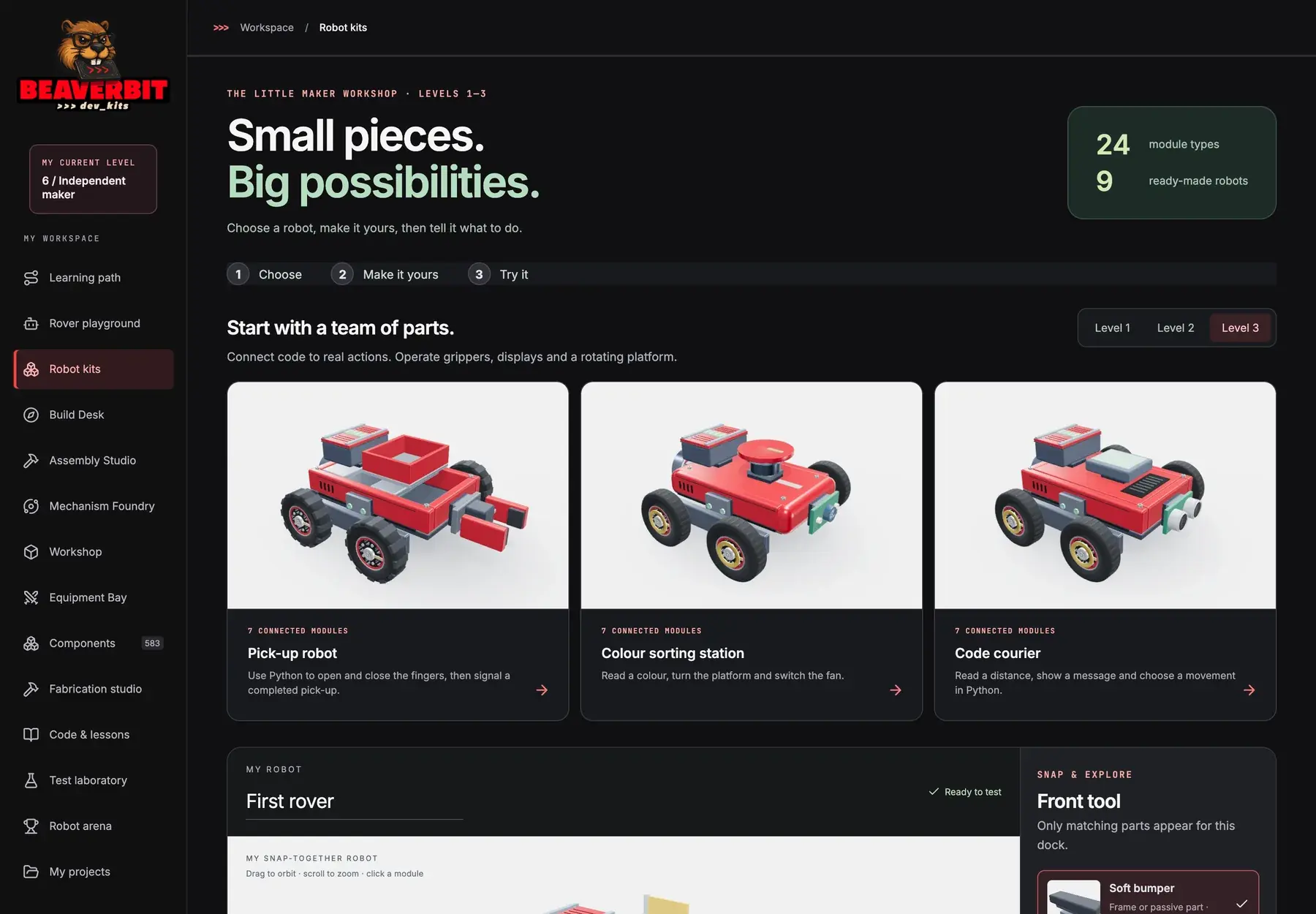
Robot kits and a Build Desk

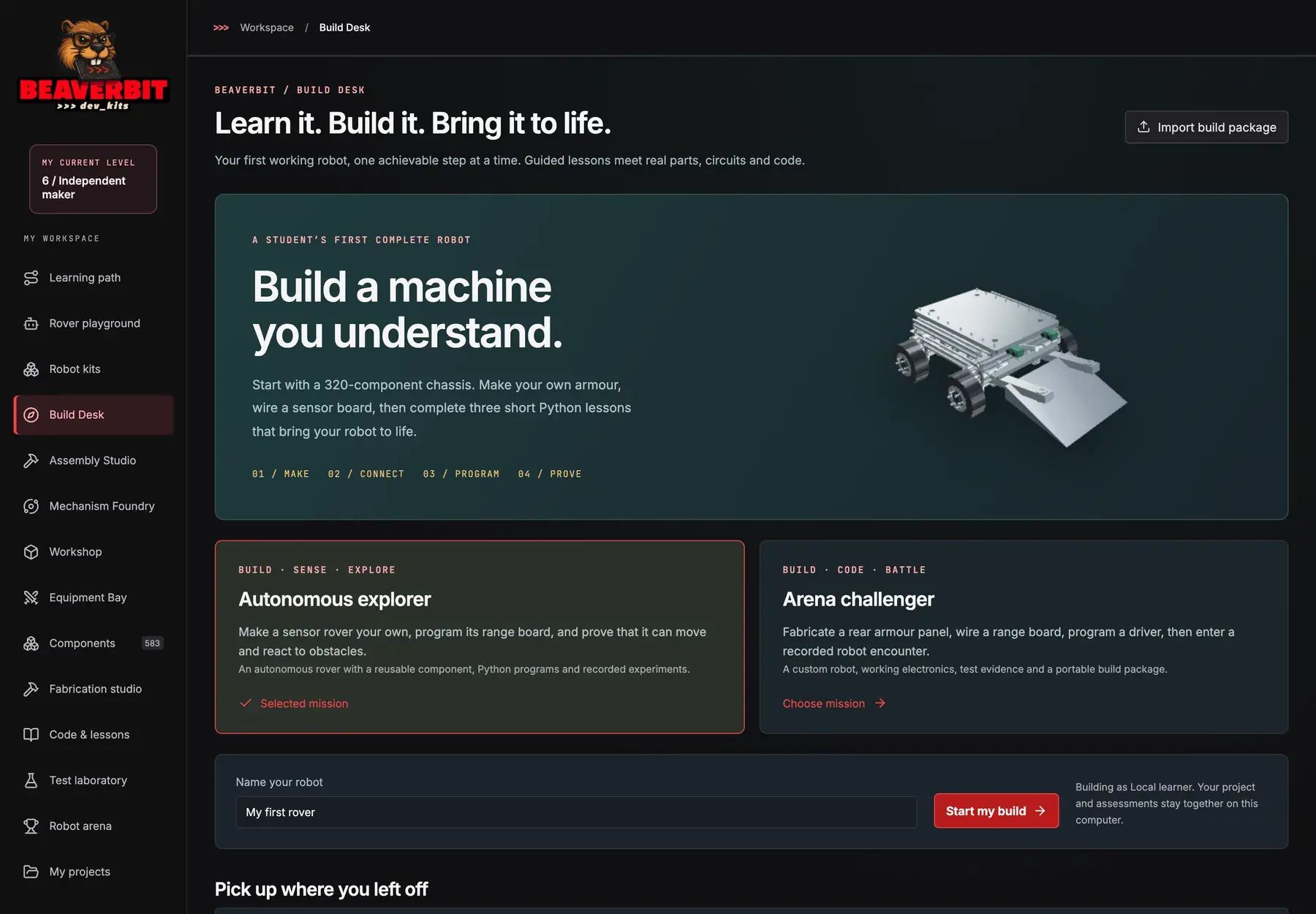
Pick one of nine ready-made robots or combine 24 module types, then assemble a 320-component chassis on the Build Desk: make your armour, wire a sensor board, program it, prove it. Export the build package when you are done.

A foundry of working mechanisms

Six studies in 3D — planetary drive, parallel gripper, crank and slider, scissor platform, XY stage, two-axis gimbal — with 68 part families. Change the teeth, the module or the torque and follow the motion.

Python that really runs

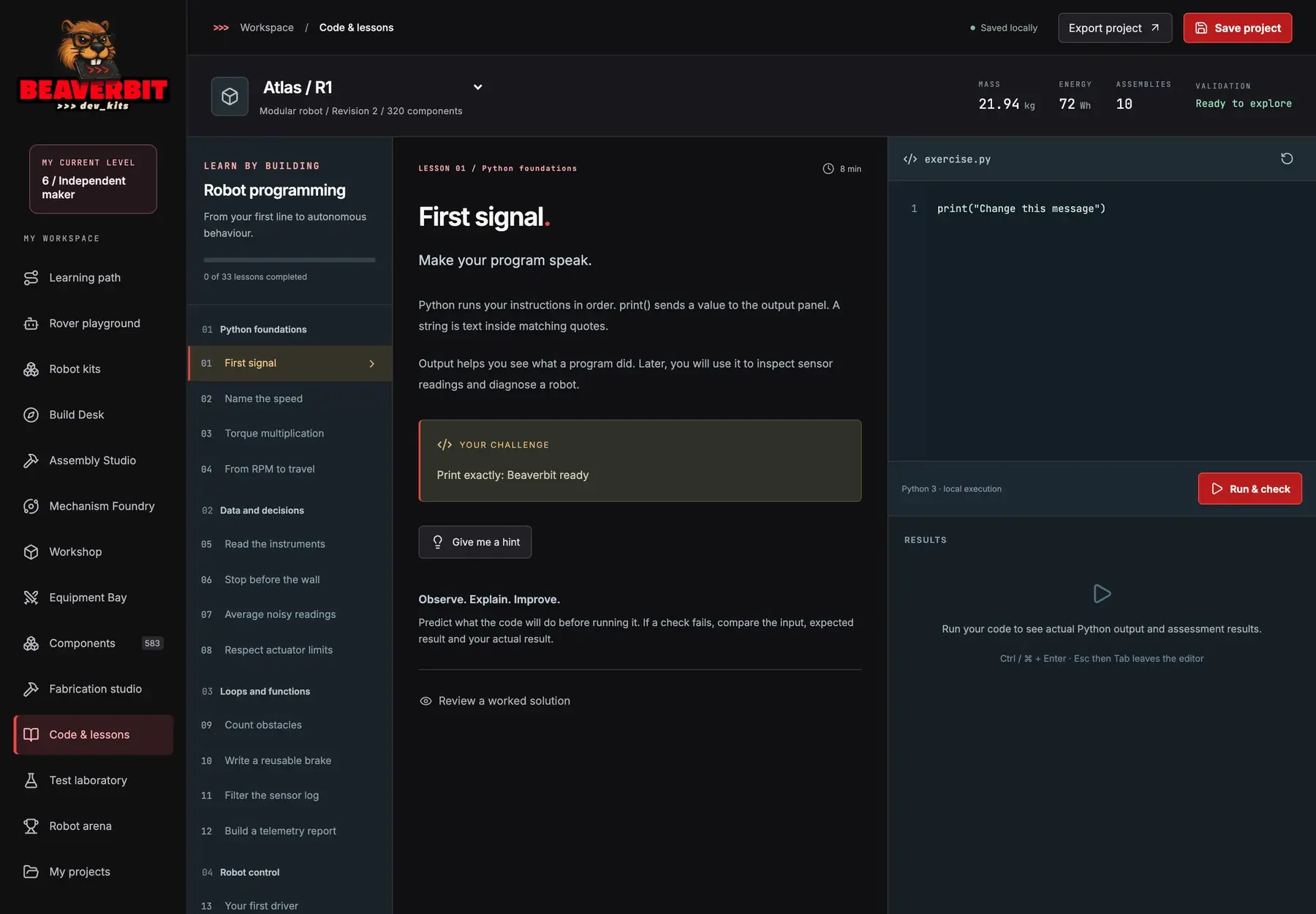
33 lessons, from a first print() to an autonomous driver, each with a challenge, a hint and a worked solution. Your code runs in Python 3 and the output is checked. Observe, explain, improve.

An arena to prove it

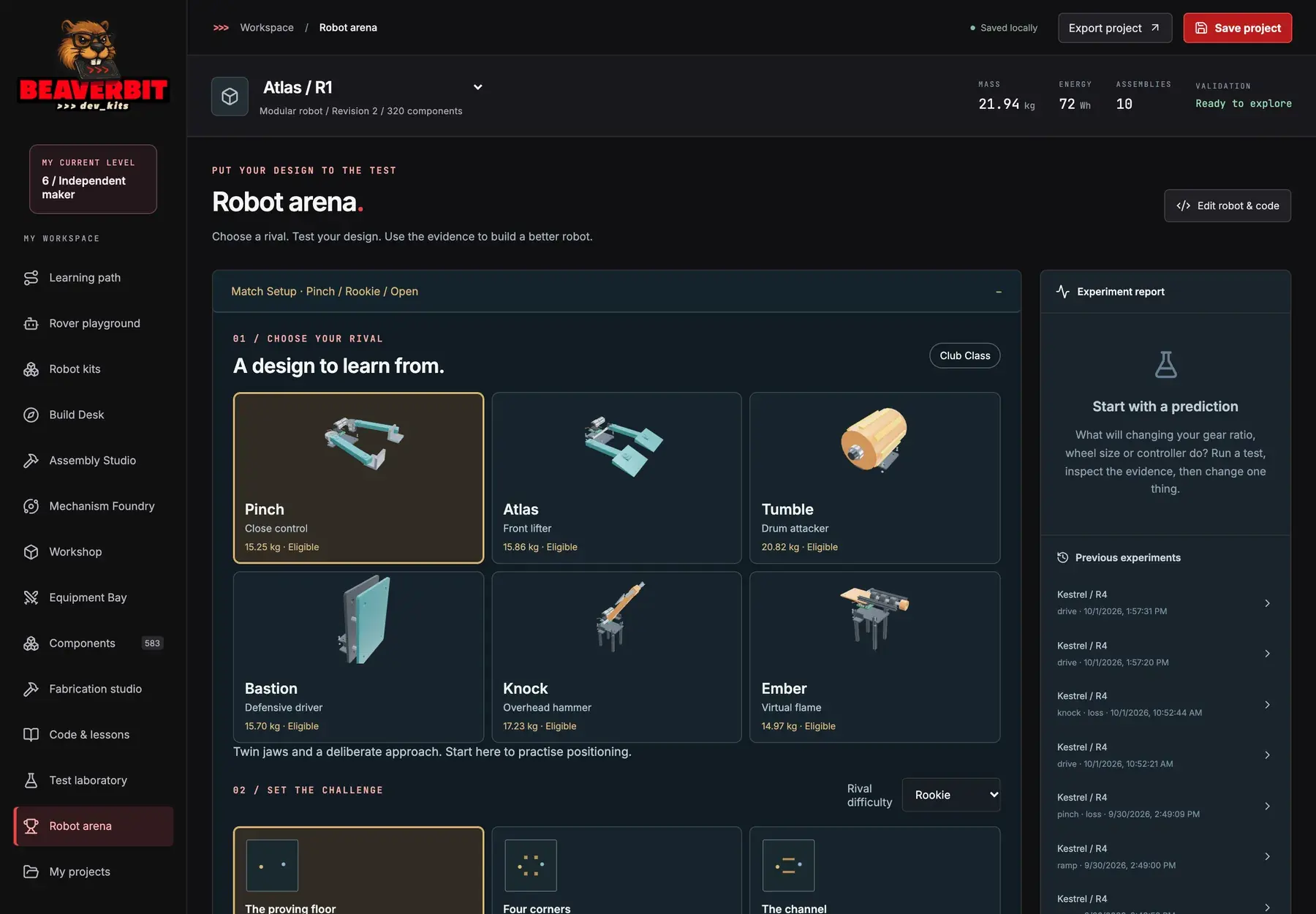
Choose a rival, set the challenge, make a prediction, run the test and read the experiment report. Then change one thing and run it again.

Beaverbit robot kits: three ready-made rovers rendered in 3D — First rover, Parcel runner, Little beetle
Robot kits: choose one, make it yours, try it. A screen from the app with a sample project.
Beaverbit robot arena: choose a rival among six designs, set the challenge, and read the experiment report
The arena: a prediction, a run, a report. A screen from the app with a sample project.

How a level works

From a first move to an autonomous rover, one achievable step at a time.

  1. 01

    Start at your level

    Six levels, from Robot explorer to Independent maker. Beginners start by moving a rover; a teacher can place a learner at the level that matches their experience.

  2. 02

    Say it, then code it

    In the rover playground you write plain sentences — move forward one step, turn left — watch the rover follow them, then see how they become Python.

  3. 03

    Build and wire

    On the Build Desk the robot becomes yours: make, connect, program, prove. Components, fabrication and fastening have their own studios.

  4. 04

    Prove it

    The test laboratory and the arena turn a design into evidence: a prediction, a run, a report, and a reason to change one thing.

Beaverbit Code & lessons: lesson 1 “First signal” with a Python editor, a Run & check button and a results panel
Code & lessons: 33 lessons; your code runs in Python 3. A screen from the app with a sample project.
Beaverbit Build Desk: a 320-component chassis, two missions (Autonomous explorer, Arena challenger) and a field to name your robot
The Build Desk: make, connect, program, prove. A screen from the app with a sample project.

Who it is for, and where it stands

Built in Montréal by teachers

Beaverbit is made by Inquisitive Flow Learning, a Quebec company founded by teachers. The method is the one we use in class: predict, observe, explain, improve.

For learners 16+ and classrooms

A local edition today: your designs stay on your machine. A hosted classroom edition with accounts, classes, join codes and teacher placement is in preparation.

What is true today

Everything runs virtually; hardware support is coming. There is no public sign-up yet, and this page sells nothing. Pilots start with a conversation.

Questions people ask

What is Beaverbit?

Beaverbit is Inquisitive Flow Learning’s robotics and coding workshop in the browser, built in Montréal by teachers for learners aged 16 and over and for classrooms. It has a six-level learning path (Robot explorer to Independent maker), a rover playground where plain-sentence instructions become Python, robot kits in 3D, a Build Desk where you assemble a 320-component chassis and wire a sensor board, a Mechanism Foundry with six working mechanisms, 33 Python lessons that run real code, a test laboratory and a robot arena. Everything runs virtually today; hardware support is coming.

How do you learn to code with Beaverbit?

By building something that moves. At Level 1 you write short sentences — move forward, turn left — and watch a rover follow them, then see how those sentences become Python. From there the lessons grow with the robot: print a signal, name the speed, read the instruments, stop before the wall, write a reusable brake, then your first driver and autonomous behaviour. Each lesson has a challenge, a hint and a worked solution, and your code runs in Python 3 with a check on the output. The method is the one teachers use in class: predict, observe, explain, improve.

Do I need hardware?

No. Beaverbit runs in the browser: the robot kits, the Build Desk, the mechanisms and the arena are 3D and physics-based, and the Python lessons execute real code in a restricted runner. The app itself says it plainly: learn, build and prototype virtually; hardware support is coming. Nothing on this page sells a kit.

Is Beaverbit available now, and how do I get it?

Not as a public sign-up yet. Beaverbit exists today as a local edition — your designs stay on your machine — and a hosted classroom edition with accounts, classes and join codes is in preparation for a pilot. Schools, CEGEPs, coding clubs and individual learners aged 16 and over who want to take part start with a conversation at inquisitiveflow.ca/contact. The product site is beaverbit.io.

Can a Quebec school or CEGEP use Beaverbit in class?

That is what the classroom edition is for: a teacher places each learner at a level that matches their experience, follows their progress on the learning path, and students work from their own project — robot, code, experiments and build package — in the browser. Pilot terms, timing and hosting are discussed with Inquisitive Flow Learning; this page does not sell seats or kits.

Are the screens on this page real?

Yes. They are screenshots of the Beaverbit app, taken from a local copy with a sample project. No account is connected and nothing on this page runs the app.

Who builds Beaverbit?

Beaverbit is built in Montréal by Inquisitive Flow Learning, a Quebec company founded by teachers, alongside Mnemosyne, Aethon and Ariadne. The same classroom method runs through all of them: guide, let the learner try, and read the evidence.

Is the interface available in French?

The Beaverbit interface is in English today; this page exists in French and English. French-language support is on the roadmap for the classroom edition.


Code it. Build it. Prove it.